
This error looks like it should mean something serious, corruption, a permissions failure, a service crash. It usually means none of those things. “The handle is invalid” during a CA database dump is, in the overwhelming majority of cases, a timeout, and understanding exactly which timeout, and why, turns a confusing failure into a two-minute diagnosis. This is a complete root-cause walkthrough: diagnostics, service and handle checks, why permissions almost certainly aren’t the problem, database state, and how to recover safely.
If the underlying cause turns out to be database size, our ADCS Database Maintenance, Cleanup, and Performance Tuning guide covers the safe cleanup path in depth.
TL;DR: Key Takeaways
- This is a handle timeout, not corruption or a permissions failure: AD CS’s underlying
ICertView2interface enforces two separate timers on database view handles, and exceeding either one produces exactly this error. - The exact error signature is specific and worth confirming:
CertUtil: -view command FAILED: 0x80070006 (WIN32: 6)paired withCEnumCERTVIEWROW::Next: The handle is invalid.confirms you’re looking at this specific issue rather than an unrelated 0x80070006 elsewhere in Windows.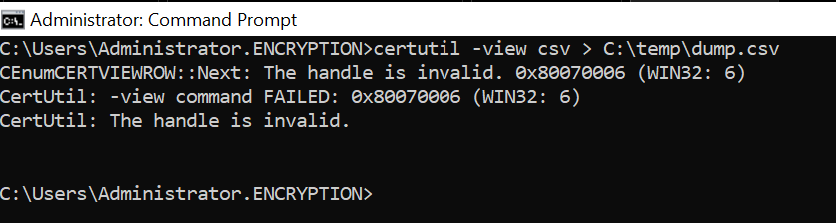
- Permissions problems fail differently and immediately: if your account lacks rights to view the CA database, the connection itself fails right away with an access-denied-style error, not a handle-invalid error partway through a long-running dump.
- Large or slow-running dumps are the classic trigger: the longer an enumeration takes, the more likely it is to exceed the handle’s allowed lifetime, which is exactly why this shows up most often on CAs with large, unmaintained databases.
- Recovery has both a quick mitigation and a real fix: raising the timeout or adding retry logic gets a specific dump to complete, addressing the underlying database size or query scope is what actually prevents this from recurring.
Root-Cause Analysis: Why This Really Happens
- AD CS database dumps run through the
ICertView2COM interface, whether you’re usingcertutil -view, PowerShell, PSPKI, or any custom tooling built against it, they all share the same underlying handle mechanics and the same failure mode. - Two separate timers govern handle validity, and they control different phases of the operation:
ViewIdleMinutesgoverns how long a connection can sit open without an active view being started, defaulting to 8 minutes, if you open a connection and don’t begin enumerating within that window, the handle is released.ViewAgeMinutesgoverns a different phase: once a view (the actual enumeration) is underway, this timer determines how long it’s allowed to keep running before its handle is forcibly released, regardless of whether the operation has actually finished. - The error you actually see confirms which phase failed:
CEnumCERTVIEWROW::Next: The handle is invalid. 0x80070006 (WIN32: 6)specifically indicates the failure happened while enumerating rows, meaning you’re looking at aViewAgeMinutesexpiration during an active, in-progress dump, not a connection that failed to start. - This is a design tradeoff, not a bug, these timers exist to prevent abandoned or runaway database connections from holding resources indefinitely, the mechanism protecting your CA from resource exhaustion is the same mechanism that interrupts your legitimate long-running dump.
Diagnostic Commands
- Confirm your current timer values before assuming anything:
certutil -getreg CA\ViewIdleMinutesandcertutil -getreg CA\ViewAgeMinutesreturn the CA’s current configured values, don’t guess at defaults, check what’s actually configured on this specific CA.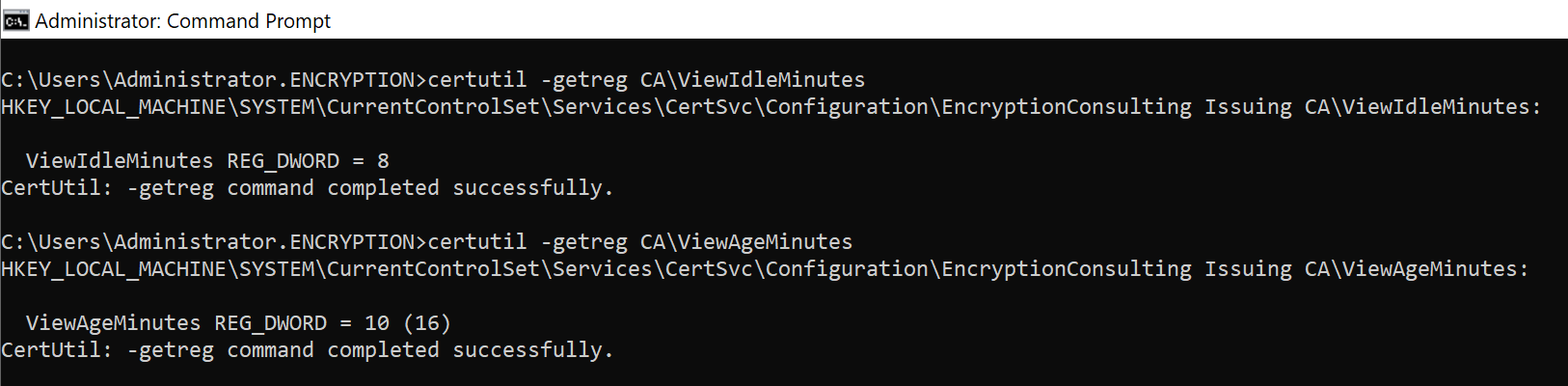
- Reproduce the failure with a narrow, filtered query first, using
certutil -view -restrictwith a tight date range or record count limit. If a small, fast query succeeds cleanly while the full, unfiltered dump fails, that’s strong confirmation you’re dealing with a duration-based timeout rather than a configuration or permissions problem.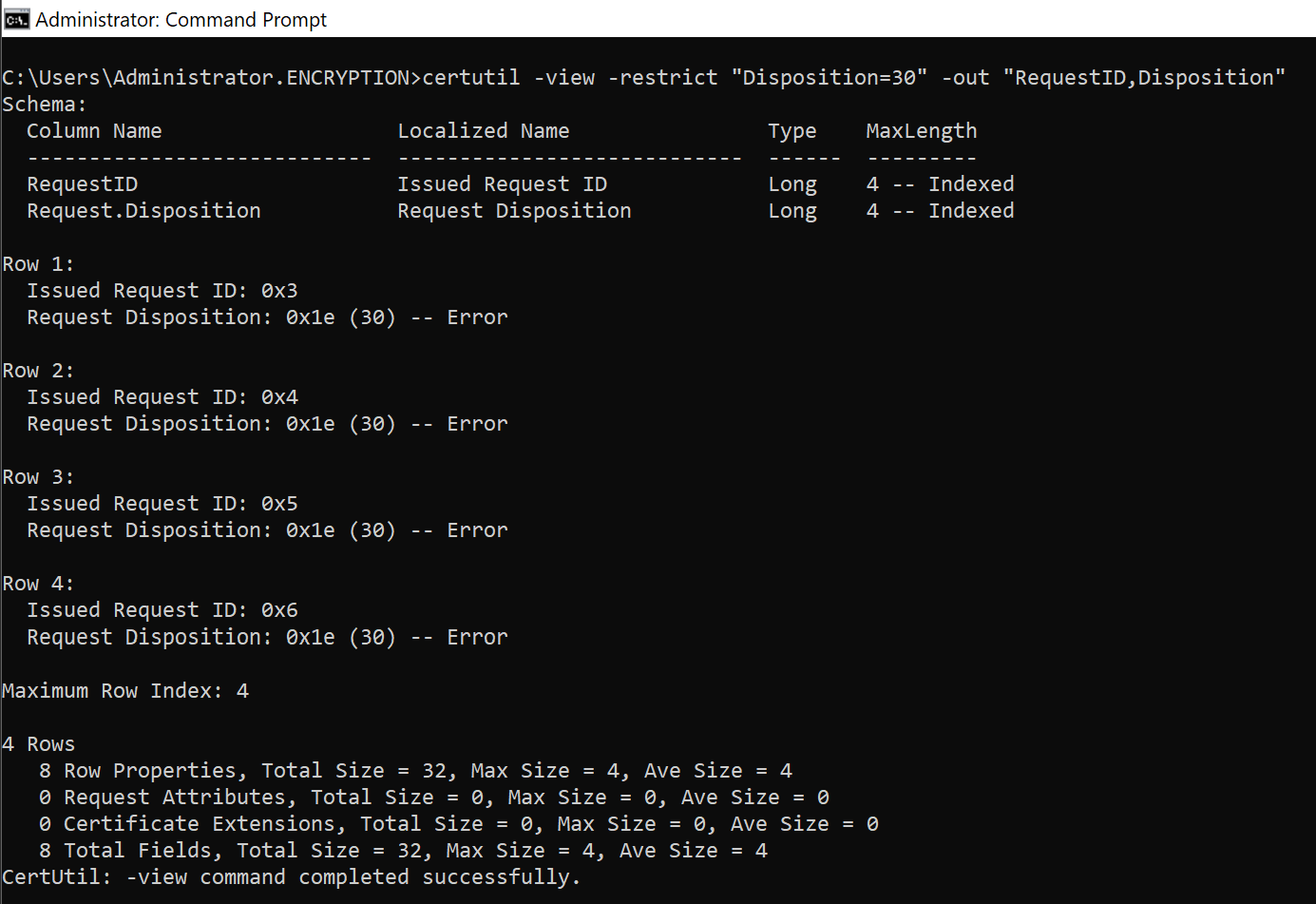
- Time a representative partial dump, run a restricted query covering a known subset of records and note how long it takes, then extrapolate roughly how long the full dump would need, comparing that against your current
ViewAgeMinutesvalue tells you immediately whether you’re in timeout territory before you even attempt the full operation again. - Confirm the exact error text and originating function, matching specifically against
CEnumCERTVIEWROW::Next, this confirms you’re dealing with the row-enumeration handle timeout covered here, rather than a different, unrelated cause of a generic 0x80070006 error elsewhere in Windows.
Service and Handle Checks
- Rule out an actual Certificate Services restart or crash as a separate, distinct possibility: a genuine service restart during your dump would also invalidate any open handle, but for a different underlying reason than a timeout, and it deserves its own investigation rather than being lumped in with the timeout scenario.
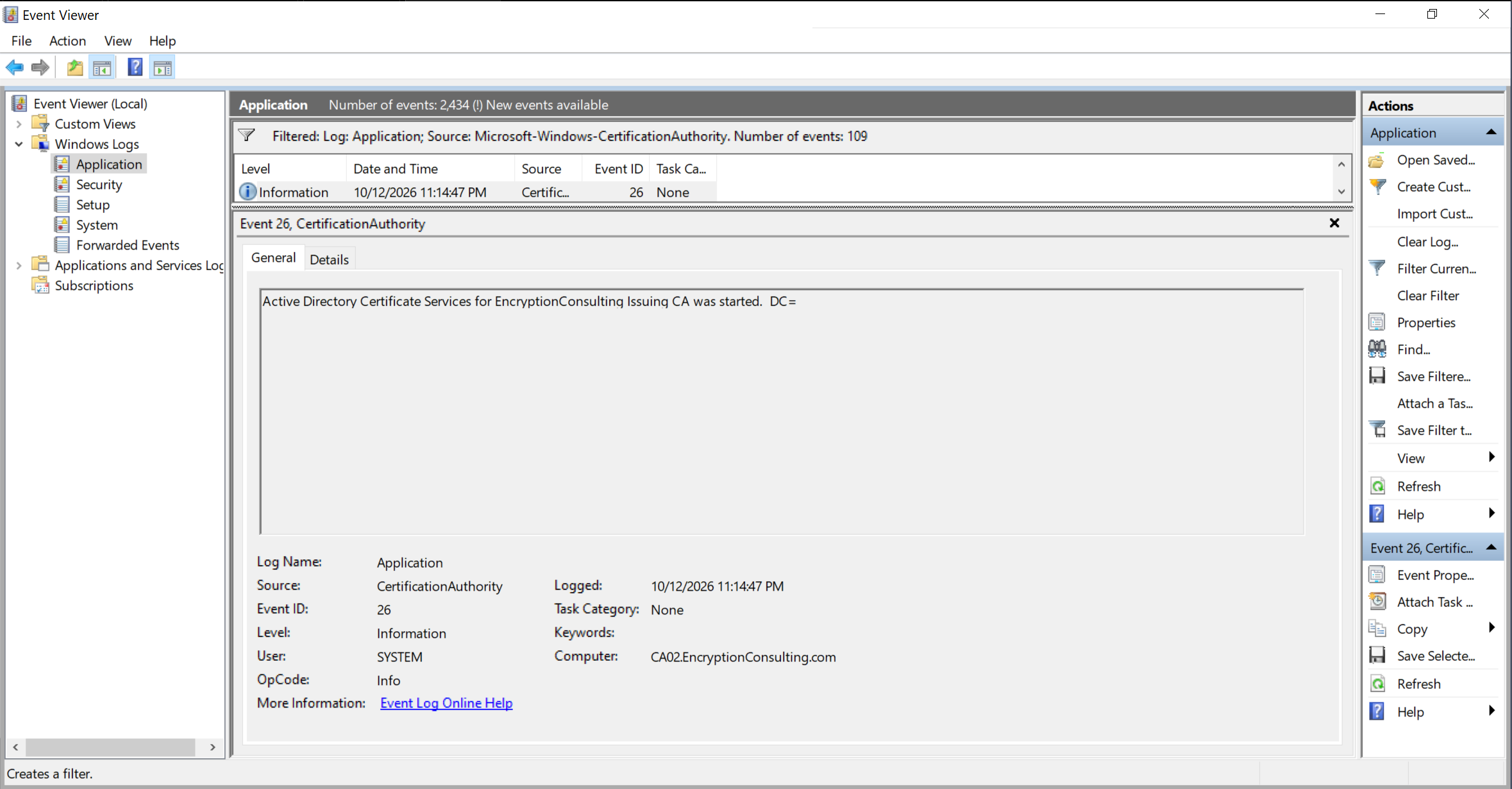
- Check the Application event log for CertSvc service stop and start events that overlap with your dump’s failure time, if the service genuinely restarted mid-operation, you’re looking at a service stability issue, not a handle timeout, and the fix is entirely different.
- Confirm CA service uptime is continuous through the failure window, a CertSvc process that’s been running continuously since well before your dump started, with no corresponding restart event, points you back toward the timeout explanation with more confidence.
- Treat a confirmed service restart as its own troubleshooting path, unrelated to the guidance in this post, and worth investigating through standard CA service stability diagnostics rather than adjusting view timers, which won’t help if the service is actually crashing.
Permissions
- Understand why permissions are very likely not your problem here: a genuine permissions issue, an account lacking rights to read the CA database, fails at connection time, immediately, with an access-denied-style error, not partway through a long-running enumeration that had already been successfully running.
- Confirm the account running your dump has appropriate CA read rights as a basic sanity check, but don’t expect this to be the actual cause if the failure specifically occurs mid-enumeration with the
CEnumCERTVIEWROW::Nextsignature described above. - Use this distinction to avoid wasted troubleshooting effort, if you find yourself auditing and re-auditing CA permissions in response to this specific error, redirect that effort toward the timeout and database-size investigation instead, permissions changes won’t resolve a handle expiring mid-operation.
Database State
- Recognize this error as a symptom that often points back to database size: the larger the database, the longer any full enumeration takes, and the more likely a routine dump is to exceed a reasonable
ViewAgeMinutesvalue, this is exactly the scenario our database maintenance guide addresses directly.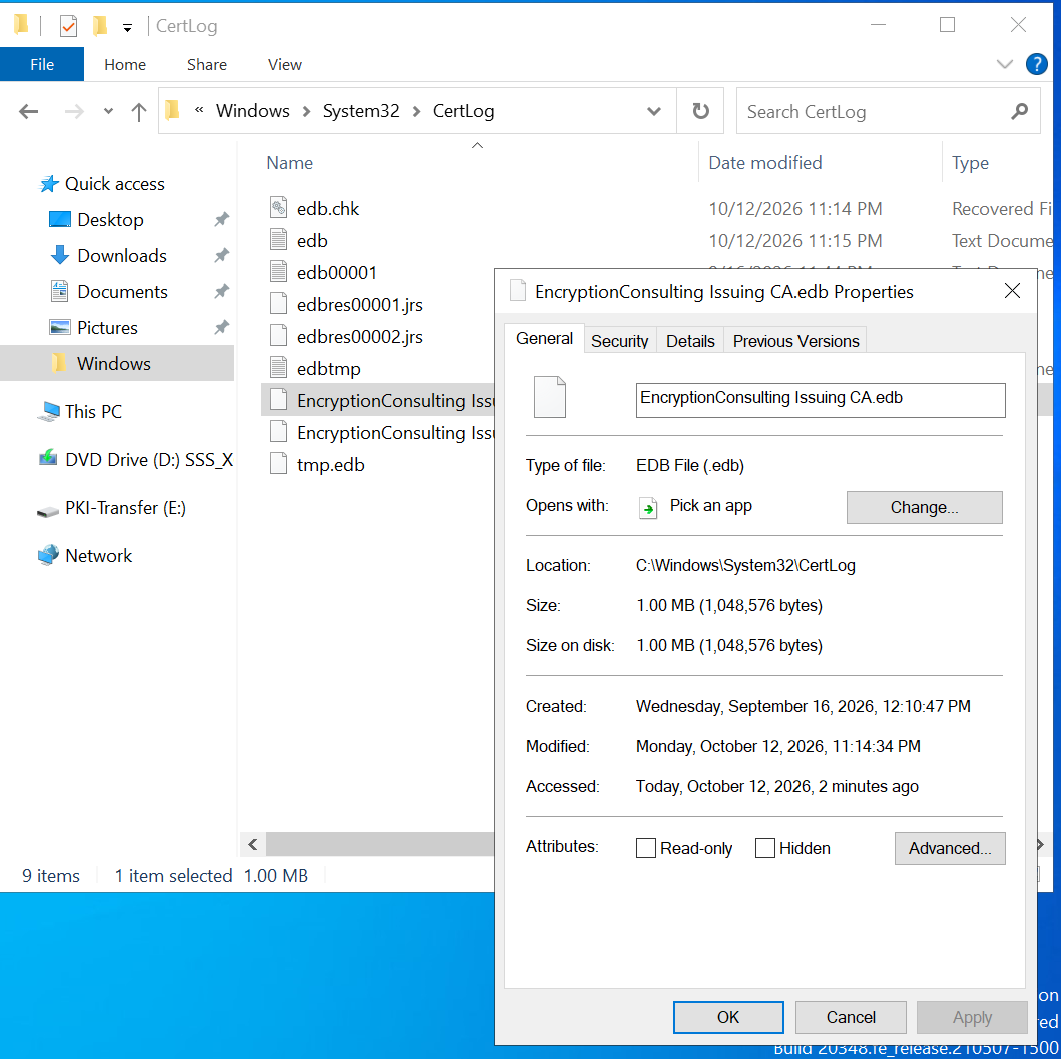
- Check whether your database has been maintained recently, a CA database that’s accumulated years of failed requests, pending requests, and issued certificate records without any cleanup is a strong candidate for exactly this failure mode on any full dump attempt.
- Consider whether database fragmentation is compounding the problem, alongside raw row count, a fragmented database can make enumeration slower than its size alone would suggest, worth checking as part of the same investigation.
- Treat a database this large or this slow to enumerate as worth addressing directly, rather than only working around the symptom, safe, supported cleanup of failed and pending requests, covered in depth in our database maintenance guide, often reduces dump duration enough that this error stops recurring at all.
Safe Recovery Steps
- Option one: raise
ViewAgeMinutesdeliberately, and test the change first:certutil -setreg CA\ViewAgeMinutes <value>increases the allowed duration for an active view, requiring a Certificate Services restart to take effect, treat this as a configuration change like any other, test it against a non-production CA or during a low-impact window before relying on it in production.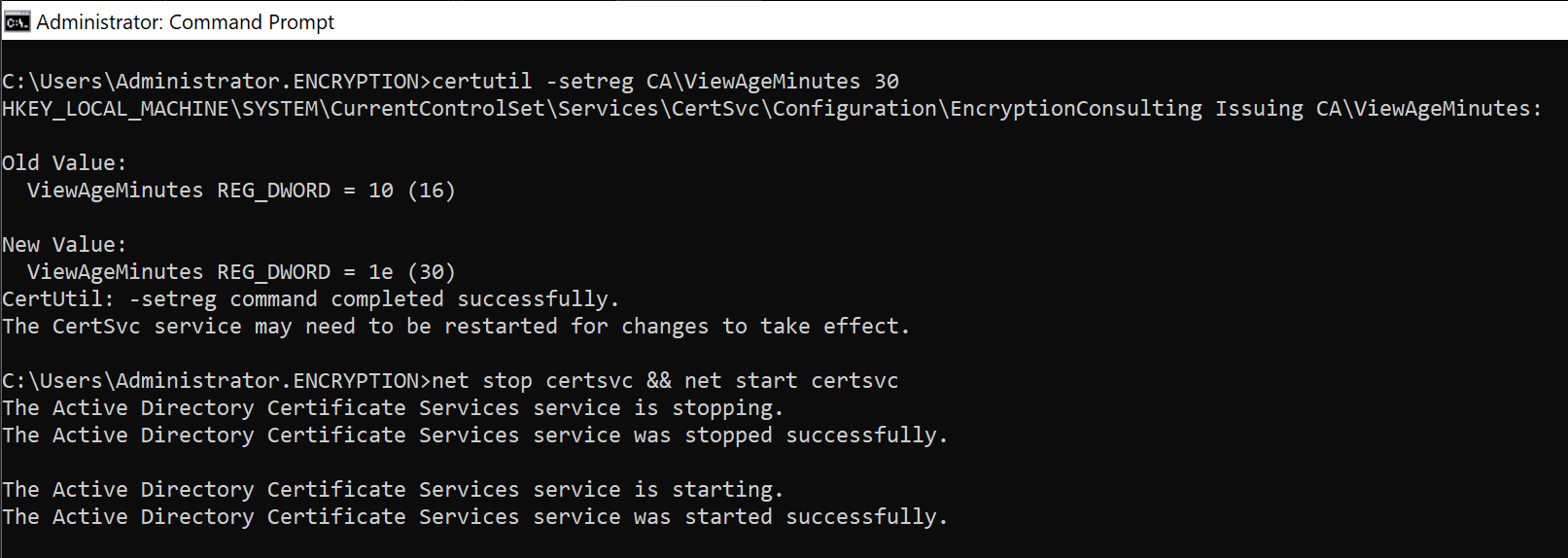
- Option two: narrow the scope of your query instead of raising the timeout indefinitely, using
-restrictfilters (by date range, request status, or other criteria) or paging parameters (available in tools like PSPKI) to break a single massive dump into several smaller, faster operations that each comfortably finish within the existing timeout. - Option three: build retry and resume logic into scripts that perform large dumps regularly, catch this specific error, reopen the connection and view, and resume enumeration using a restriction that picks up from the last successfully processed record, rather than restarting the entire operation from the beginning every time it fails.
- Option four: address the underlying database size or performance issue directly, if dumps are taking long enough to hit this timeout regularly, that’s a signal worth acting on independent of this specific error, safe cleanup of failed and pending requests, and compaction where genuinely warranted, are the real fix rather than a permanent workaround.
- Back up the database before any maintenance activity you undertake as a result of this investigation, consistent with the safe-operations discipline covered throughout our database guidance, this troubleshooting path often leads directly into cleanup work, treat that work with the same care as any other database maintenance.
How Encryption Consulting Can Help
An error like this is often the first visible symptom of a CA database that’s been quietly growing unmaintained for years, the immediate fix (a timeout adjustment or a smaller query) gets you unblocked, but the underlying condition is worth a real look.
Encryption Consulting’s PKI Services team supports this directly:
- Root-cause diagnosis: confirming whether a specific handle-invalid failure is timeout-related, service-related, or something else entirely, before you spend time on the wrong fix.
- Database size and performance assessment: determining whether your CA database’s size or fragmentation is the real driver behind slow dumps and recurring timeouts.
- Safe cleanup and compaction execution: addressing the underlying database condition with proper backups and lab-tested procedures, not just adjusting a timeout and moving on.
- Reporting and automation review: building resilient, retry-aware PowerShell or PSPKI-based reporting scripts that handle this error gracefully rather than failing outright on large environments.
- Ongoing CA health monitoring, so database growth and performance issues are caught before they surface as a confusing production error.
If this error keeps recurring, or you want your CA database’s overall size and health properly assessed, our PKI Services team can diagnose and fix it.
Conclusion
“The handle is invalid 0x80070006” during a CA database dump is a timeout, specifically a ViewAgeMinutes expiration on an in-progress enumeration, not corruption, and in almost every case not a permissions problem either. Confirm the diagnosis with a filtered test query, rule out an actual service restart, and then choose the right fix: a tested timeout adjustment, a narrower query pattern, retry logic in your scripts, or, if the database has simply grown too large to enumerate quickly, real cleanup. Treat the error as a signal worth investigating fully rather than a nuisance to work around every time it appears.
Related reading: ADCS Database Maintenance, Cleanup, and Performance Tuning · Restoring a Microsoft CA Database After Failure · PowerShell PKI Module Guide for Microsoft ADCS Administrators · Common ADCS Certificate Authority Renewal Errors and Fixes · Education Center: Microsoft AD CS
Seeing this error regularly, or want your CA database’s size and health properly assessed? Talk to our PKI Services team about diagnosing and fixing it. Encryption Consulting is ISO/IEC 27001:2022 and SOC 2 certified.
FAQ
What causes ‘The handle is invalid 0x80070006’ when dumping a CA database?
This is almost always a database view handle timeout, not corruption or a permissions problem. AD CS’s ICertView2 interface enforces two separate timers, ViewIdleMinutes and ViewAgeMinutes, and if a dump operation runs longer than ViewAgeMinutes allows, the handle is forcibly released mid-enumeration, producing this exact error.
Is ‘the handle is invalid’ error a permissions issue?
No, and this is a common misdiagnosis. A genuine permissions problem fails immediately when the connection is opened, with a different, access-denied-style error. This specific error occurs mid-operation, after the connection succeeded, which points to handle expiration rather than insufficient rights.
What are ViewIdleMinutes and ViewAgeMinutes?
ViewIdleMinutes controls how long an opened database connection can sit without an active view being started before its handle is released, defaulting to 8 minutes. ViewAgeMinutes controls how long an active view (an in-progress dump or enumeration) is allowed to run before its handle is forcibly released, regardless of whether the operation has finished.
Should you increase ViewAgeMinutes to fix this error?
It can help, but treat it as a mitigation, not a root-cause fix. If a dump is taking long enough to exceed a reasonable ViewAgeMinutes value, the underlying issue is often a CA database that’s grown large enough to need cleanup or performance tuning, address that alongside, or instead of, simply raising the timeout.
How can scripts recover automatically from this error during a large database dump?
Catch the specific 0x80070006 error, reopen the database connection and view, and resume the query using a restriction or paging parameter that picks up from where enumeration stopped, rather than restarting the entire dump from the beginning.