
- TL;DR: Key Takeaways
- What CAPolicy.inf Actually Controls (and What It Doesn't)
- File Location and Required Structure
- Section by Section Reference
- Annotated Example: Offline Root CA CAPolicy.inf
- Annotated Example: Issuing/Subordinate CA CAPolicy.inf
- Common Mistakes
- How Encryption Consulting Can Help
- Conclusion
- FAQ
CAPolicy.inf is a plain text file most administrators write once, during initial CA installation, and never look at again. That’s exactly the problem: it controls policy OIDs, renewal behavior, CRL periods, and even Basic Constraints directly, and a surprising number of “why did my CA’s settings reset” tickets trace back to a fundamental misunderstanding of when this file actually takes effect. This is a complete, annotated reference, with full example files for both an offline root and an issuing CA.
CAPolicy.inf is also one of the most commonly forgotten pieces of a CA backup, covered in How to Back Up Microsoft ADCS Correctly, and its Basic Constraints handling connects directly to ADCS Basic Constraints Extension Explained.
TL;DR: Key Takeaways
- Most of CAPolicy.inf’s settings only apply at renewal, not initial installation: RenewalKeyLength, RenewalValidityPeriod, and similar directives govern a future CA certificate renewal, the initial key length and hash algorithm are set through the installation wizard or certutil, this is the single most misunderstood fact about this file.
- The file has to exist in the right place before you install or renew, not after: place it at
%windir%\CAPolicy.infbefore the relevant operation, it has no retroactive effect on a CA already running. - Root and issuing CA configurations should look meaningfully different: long validity and CRL periods with default templates disabled on the root, shorter, operationally realistic periods on issuing CAs that actually serve live enrollment traffic.
- Basic Constraints can be set directly in this file, through the
[Extensions]section, one of the two supported mechanisms for controlling that extension alongside the parent-CA-sidecertreq -policyapproach. - Don’t ship an example OID into production, register or generate your own policy OID root rather than copying a documentation placeholder verbatim into a live CA’s configuration.
What CAPolicy.inf Actually Controls (and What It Doesn’t)
- It controls certificate policy statements, renewal behavior, CRL configuration, and select extensions, everything from the policy OID and CPS URL embedded in the CA’s own certificate to how long a renewed certificate will be valid and how frequently CRLs publish.
- It does not control the CA’s initial key length, hash algorithm, or cryptographic provider, these are set during initial installation through the setup wizard or command-line tools, CAPolicy.inf’s renewal-related directives are dormant until an actual renewal event occurs, they don’t retroactively apply to a key pair that already exists.
- This distinction causes real confusion in practice: setting
RenewalKeyLength=4096before installing a CA does not produce a 4096-bit initial key, you have to explicitly choose that key length during setup itself, the CAPolicy.inf setting only matters the next time that CA’s certificate is renewed with a new key pair.
File Location and Required Structure
- Place the file at
%windir%\CAPolicy.inf, typicallyC:\Windows\CAPolicy.inf, before installing the AD CS role or before initiating a CA certificate renewal.
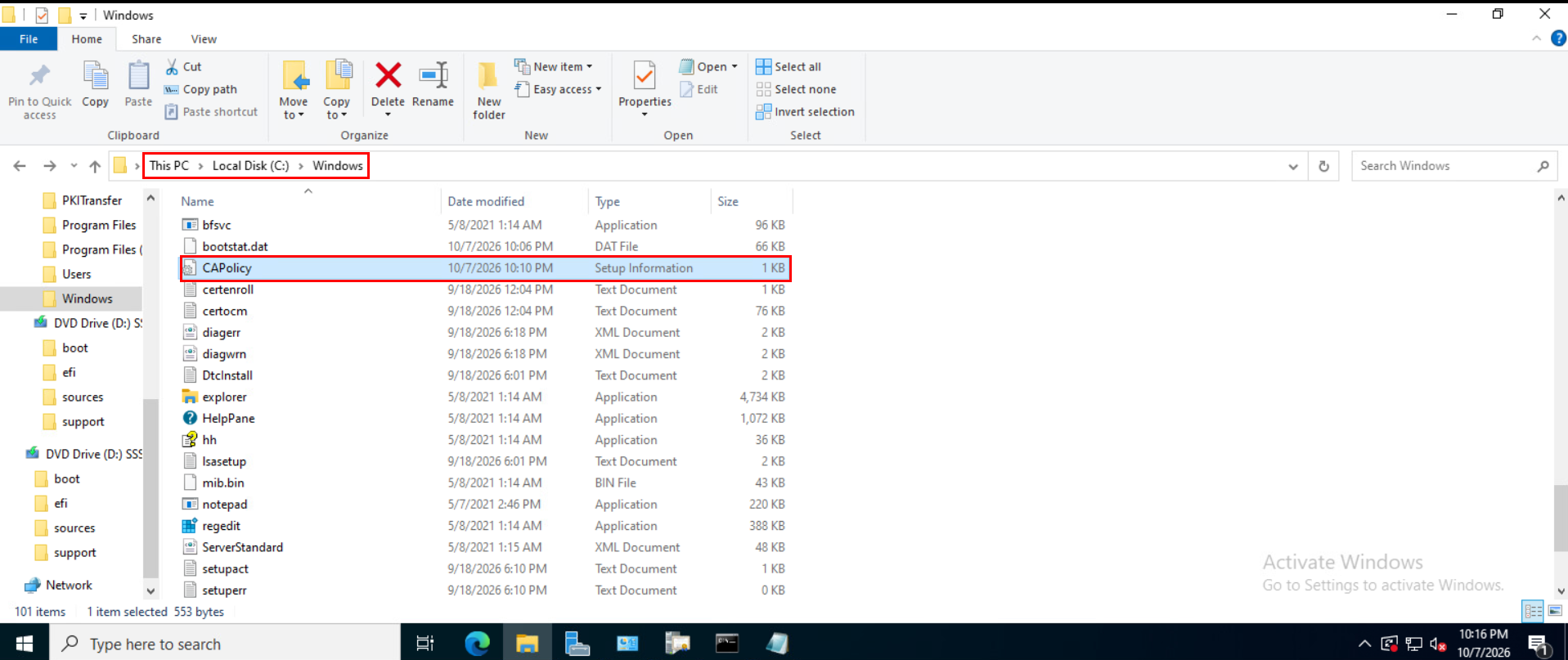
[Version] is the only required section, and must appear first: Signature="$Windows NT$" identifies the file as a valid .inf file to the CA installation and renewal process.
- Every other section is optional, many environments only need a handful of the available directives, don’t feel obligated to populate every section covered below if a given setting’s default is already appropriate for your environment.
Section by Section Reference
[PolicyStatementExtension]: lists the name (or names, comma-separated) of the certificate policies this CA will embed in its certificate, each named policy then gets its own section.- Named policy sections (e.g.,
[InternalPolicy]): containOID=(your organization’s policy object identifier),Notice=(a plain-text legal or usage statement), andURL=(a link to your published Certification Practice Statement). [Certsrv_Server]: the section governing renewal and CRL behavior, key directives includeRenewalKeyLength,RenewalValidityPeriodandRenewalValidityPeriodUnits,CRLPeriodandCRLPeriodUnits,CRLDeltaPeriodandCRLDeltaPeriodUnits,LoadDefaultTemplates, andAlternateSignatureAlgorithm.[CRLDistributionPoint]and[AuthorityInformationAccess]: can be used to specify additional CDP and AIA publication locations beyond the CA’s defaults at install time, often left empty if you’re managing publication points separately after installation.
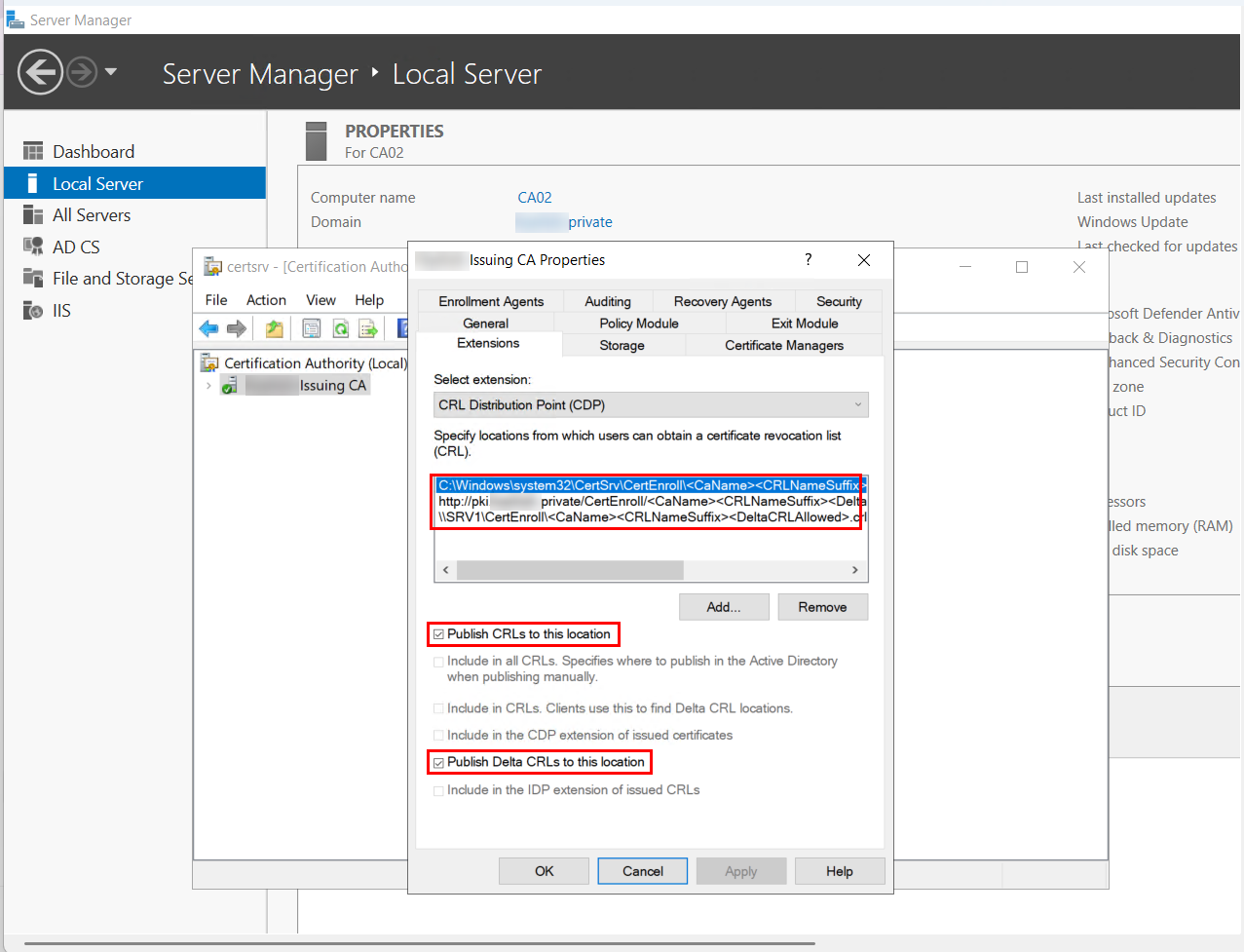
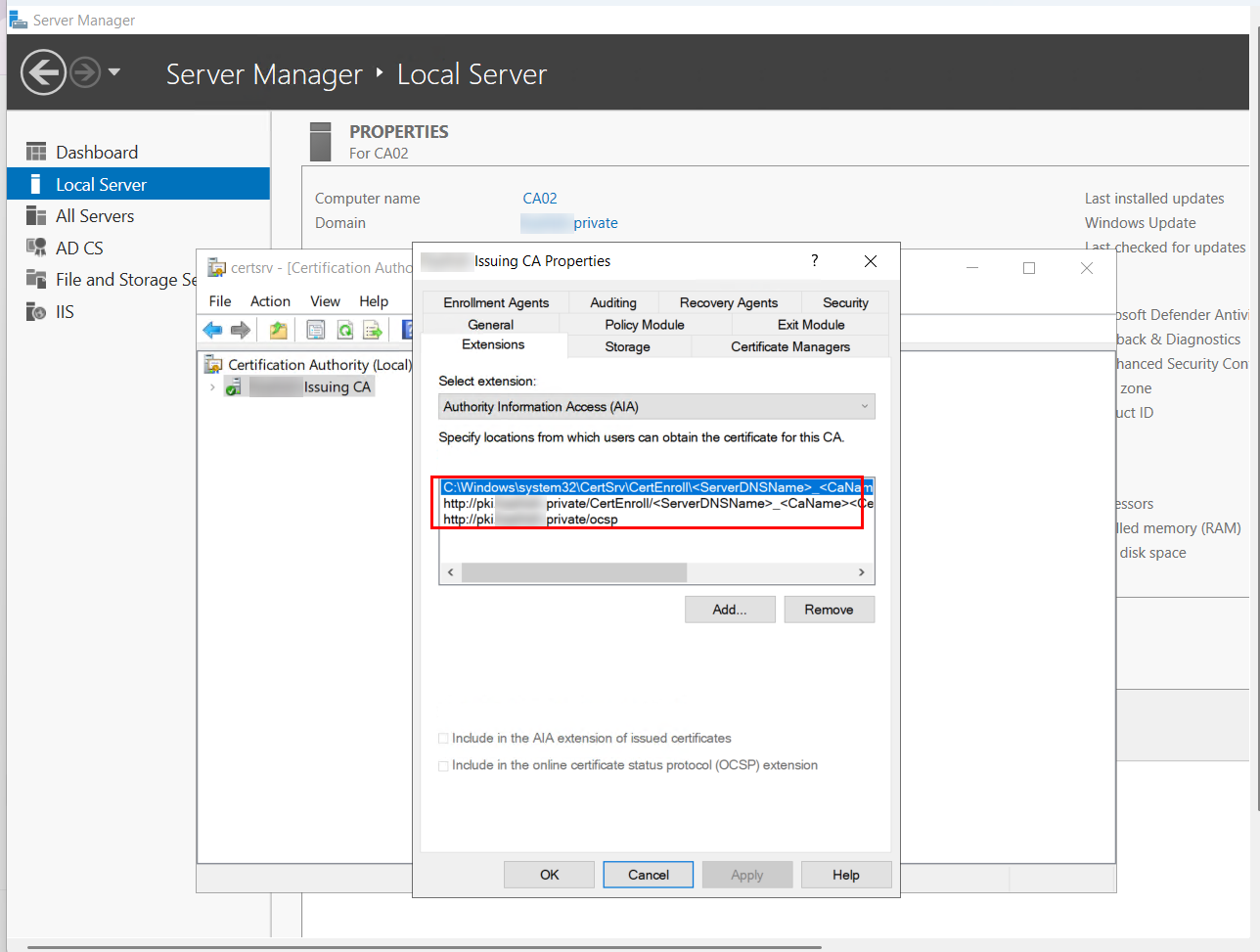
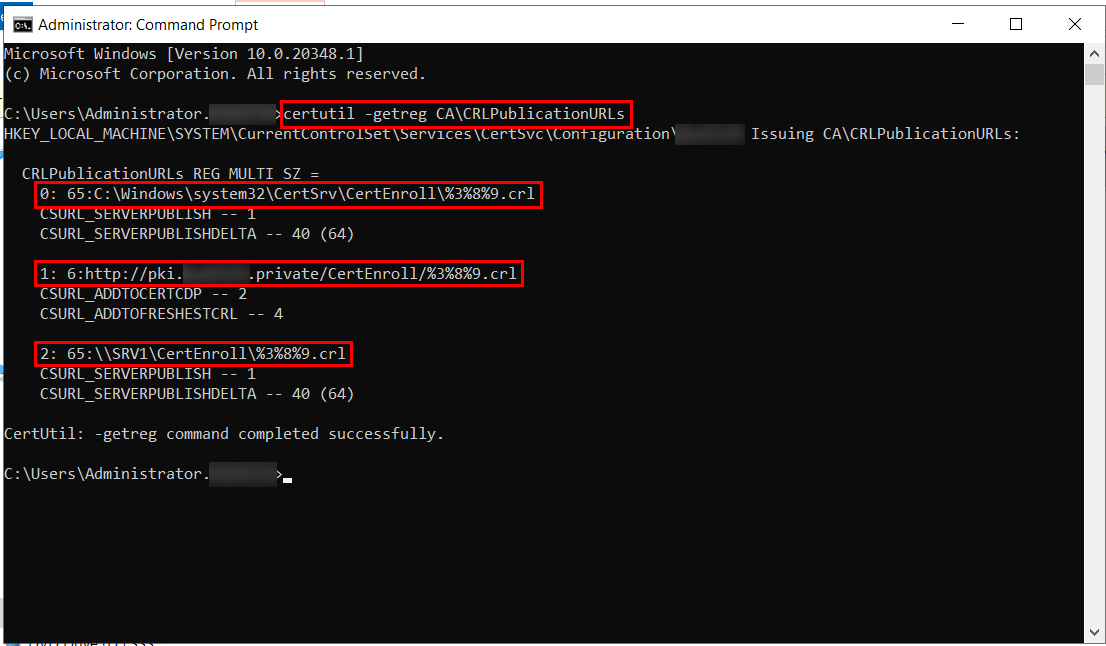
[Extensions]: allows direct control of specific certificate extensions by OID, most notably Basic Constraints (2.5.29.19), covered in depth in our dedicated guide to that extension.
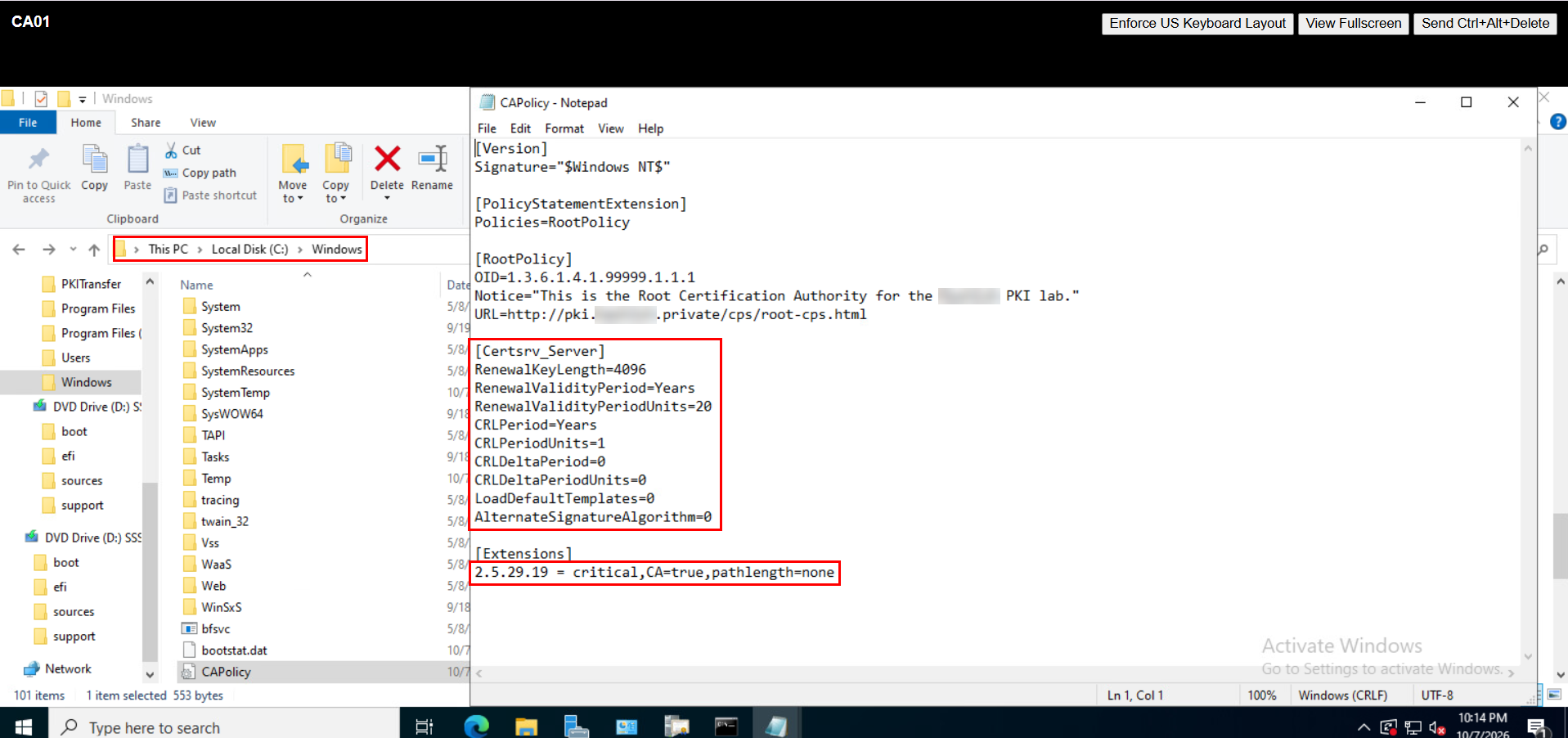
Annotated Example: Offline Root CA CAPolicy.inf
[Version]
Signature="$Windows NT$"
; Required section, must be first in the file.

[PolicyStatementExtension]
Policies=RootPolicy
; Names the single policy this root will reference.

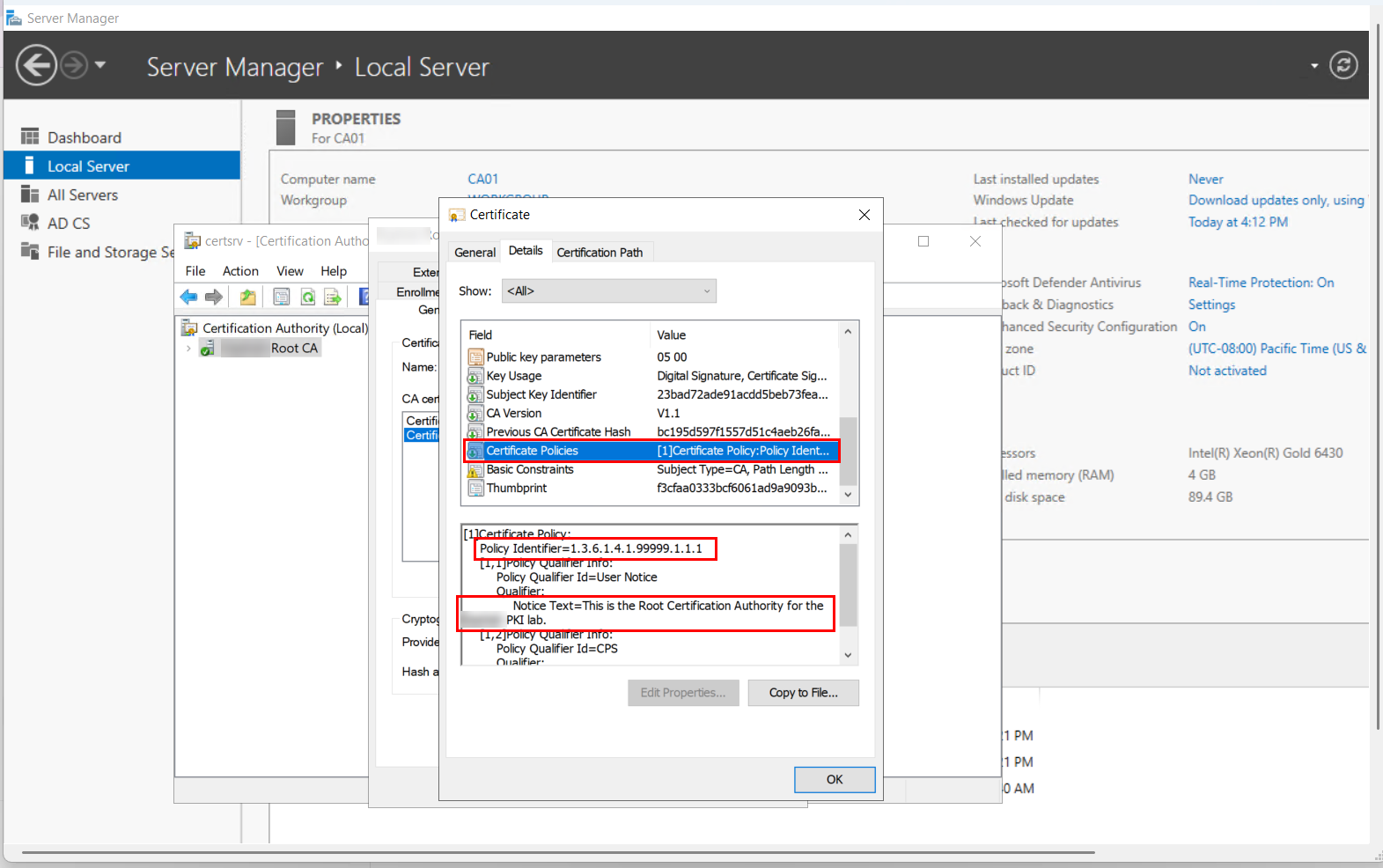
[RootPolicy]
OID=1.3.6.1.4.1.99999.1.1.1
; Replace with your organization's own registered or generated OID root, never ship an example OID into production.
Notice="This is the Root Certification Authority for Contoso Corporation. Certificates issued under this hierarchy are governed by the Contoso Certificate Policy and Certification Practice Statement."
URL=https://pki.contoso.com/cps/root-cps.html
; Publicly reachable URL to your actual CPS document.

[Certsrv_Server]
RenewalKeyLength=4096
; Applies only at the next renewal with a new key pair, not to the initial key.
RenewalValidityPeriod=Years
RenewalValidityPeriodUnits=20
; A long renewal validity is standard practice for an offline root that's rarely powered on.
CRLPeriod=Years
CRLPeriodUnits=1
; The root's own CRL only needs to be refreshed when the root is brought online for a ceremony.
CRLDeltaPeriod=0
CRLDeltaPeriodUnits=0
; Delta CRLs are typically disabled for an offline root given its infrequent publication cycle.
LoadDefaultTemplates=0
; A root does not issue end-entity certificates directly, default templates serve no purpose here.
AlternateSignatureAlgorithm=0

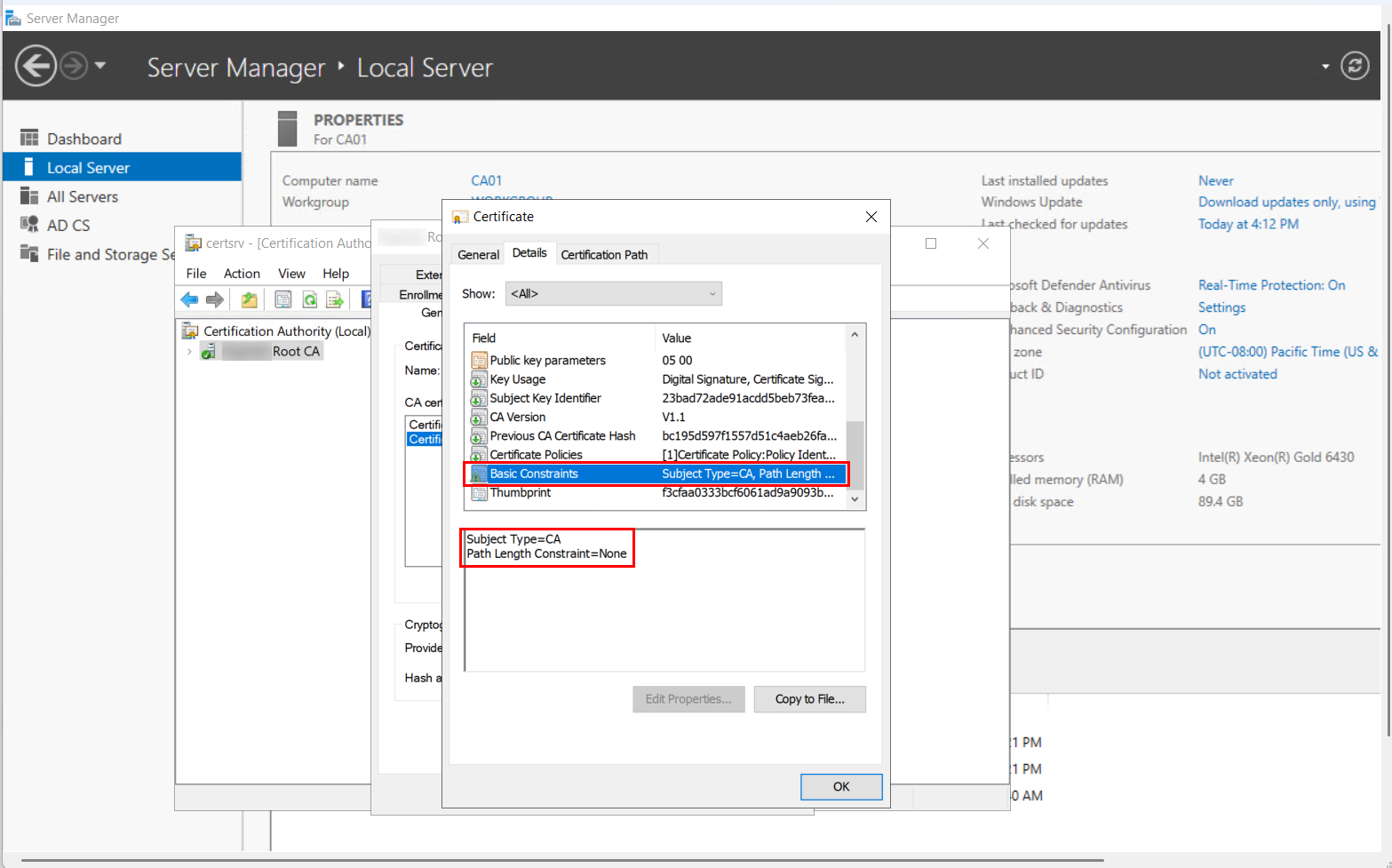
[Extensions]
2.5.29.19 = critical,CA=true,pathlength=none
; Basic Constraints, marked critical per RFC 5280, path length intentionally left unconstrained
; on the root to preserve hierarchy flexibility beneath it, see our dedicated Basic Constraints guide.
Annotated Example: Issuing/Subordinate CA CAPolicy.inf
[Version]
Signature="$Windows NT$"

[PolicyStatementExtension]
Policies=IssuingPolicy

[IssuingPolicy]
OID=1.3.6.1.4.1.99999.1.1.2
; A distinct policy OID from the root's, reflecting this CA's actual issuance policy.
Notice="This Issuing Certification Authority issues certificates in accordance with the Contoso Certificate Policy and Certification Practice Statement."
URL=https://pki.contoso.com/cps/issuing-cps.html

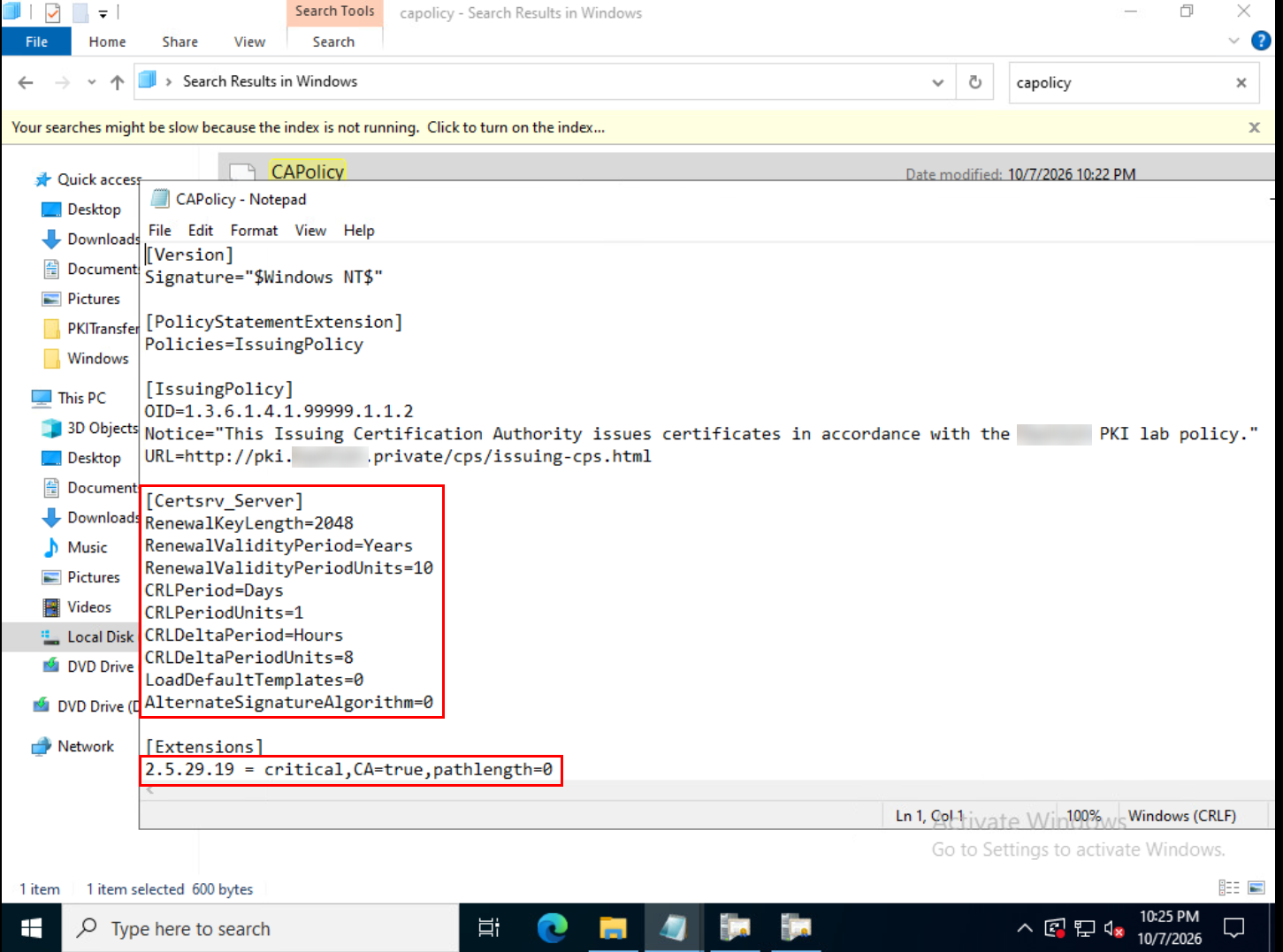
[Certsrv_Server]
RenewalKeyLength=2048
; A shorter key length is a reasonable, deliberate choice here if this CA has a materially shorter
; certificate lifetime than the root, confirm this against your actual algorithm and compliance requirements.
RenewalValidityPeriod=Years
RenewalValidityPeriodUnits=10
; Meaningfully shorter than the root's renewal validity, and must fit within the root's remaining validity at renewal time.
CRLPeriod=Days
CRLPeriodUnits=1
; An online, actively issuing CA needs a much shorter base CRL period than an offline root.
CRLDeltaPeriod=Hours
CRLDeltaPeriodUnits=8
; Delta CRLs are standard practice on an issuing CA to keep revocation data current between base CRL publications.
LoadDefaultTemplates=0
; Explicitly disable default templates and manage the issuance list deliberately instead.
AlternateSignatureAlgorithm=0

[Extensions]
2.5.29.19 = critical,CA=true,pathlength=0
; Path length of 0 restricts this CA to issuing end-entity certificates only, no further
; subordinate CAs beneath it, the deliberate constraint our Basic Constraints guide recommends
; applying at the issuing CA level rather than the root.
Common Mistakes
- Placing or editing the file after the CA is already installed and expecting immediate effect: CAPolicy.inf only applies at installation or the next renewal, editing it on a running CA changes nothing until one of those events actually occurs.
- Assuming
RenewalKeyLengthor similar directives change the CA’s current, active key: they don’t, they apply only to the next renewal that generates a new key pair, confirm your actual current key configuration separately if that’s what you need to verify. - Forgetting to back up CAPolicy.inf as part of your CA backup process, it’s a plain file untouched by
certutil -backupor a database backup, and losing track of it means losing your record of exactly how a CA’s policy and renewal behavior were configured. - Leaving
LoadDefaultTemplatesenabled on a root CA, unnecessary clutter for a CA that shouldn’t be issuing end-entity certificates directly in the first place. - Shipping an example OID from documentation directly into production, resulting in issued certificates referencing a policy OID your organization doesn’t actually own or control, register or generate your own OID root instead.
- Setting CRL periods in CAPolicy.inf that don’t match your actual publication and monitoring capability, an aggressive delta CRL period on a CA whose publication infrastructure can’t reliably keep pace creates more operational noise than security value.
How Encryption Consulting Can Help
Getting CAPolicy.inf right, and understanding exactly when its settings take effect, is foundational work that’s easy to get subtly wrong once during initial deployment and then carry forward unnoticed through every subsequent renewal.
Encryption Consulting’s PKI Services team supports this directly:
- CAPolicy.inf design for new hierarchies: building correctly differentiated root and issuing CA configurations aligned to your actual CP/CPS and operational requirements from the start.
- Existing configuration review: auditing your current CAPolicy.inf files across your hierarchy for the common mistakes covered here, including OID ownership and CRL period alignment with your actual publication infrastructure.
- Renewal planning support: confirming your CAPolicy.inf settings will produce the renewal outcome you actually intend before a real renewal event occurs.
- CP/CPS and OID governance, helping you register or structure your organization’s own policy OID hierarchy correctly rather than relying on placeholder values.
- Documentation and backup integration, making sure CAPolicy.inf is captured as part of your broader backup and disaster recovery practice, not left as a forgotten file.
If you’re standing up a new CA hierarchy or want your existing CAPolicy.inf configuration reviewed, our PKI Services team can help you get it right.
Conclusion
CAPolicy.inf is small, plain-text, and easy to overlook, and it genuinely shapes how your CA hierarchy behaves at renewal, how its CRLs publish, and what policy commitments it embeds in every certificate it issues. Understand clearly which settings apply at renewal versus initial installation, differentiate your root and issuing CA configurations deliberately rather than copying one file across your entire hierarchy, and treat this file with the same backup and documentation discipline you’d apply to any other piece of your CA’s configuration.
Related reading: ADCS Basic Constraints Extension Explained · How to Back Up Microsoft ADCS Correctly · How to Renew an Offline Root CA Without Downtime · Enterprise Issuing CA Renewal Checklist · ADCS CRL Partitioning: Architecture and Implementation Guide · Education Center: Microsoft AD CS
Standing up a new CA hierarchy or want your CAPolicy.inf configuration reviewed? Talk to our PKI Services team about getting it right from the start. Encryption Consulting is ISO/IEC 27001:2022 and SOC 2 certified.
FAQ
Where does CAPolicy.inf need to be located, and when does it take effect?
CAPolicy.inf must be placed in the %windir% directory (typically C:\Windows) before you install or renew the CA role. It has no effect on a CA that’s already running; settings only apply at the moment of installation or the next certificate renewal, not retroactively to an already-issued CA certificate.
Does setting RenewalKeyLength in CAPolicy.inf change my CA’s current key size?
No. RenewalKeyLength, along with RenewalValidityPeriod and several other Certsrv_Server settings, only applies when a new key pair is generated during a future CA certificate renewal. The initial key length, hash algorithm, and cryptographic provider are set through the installation wizard or command-line tools like certutil, not through CAPolicy.inf.
Should LoadDefaultTemplates be enabled in a root CA’s CAPolicy.inf?
No. An offline root CA doesn’t issue end-entity certificates directly, so it has no use for default certificate templates. Setting LoadDefaultTemplates=0 avoids unnecessary template clutter and keeps the root’s configuration minimal and easier to audit.
Can Basic Constraints be configured directly in CAPolicy.inf?
Yes, through the [Extensions] section using the Basic Constraints OID (2.5.29.19), for example 2.5.29.19 = critical,CA=true,pathlength=0. This is one of the two supported ways to control this extension, alongside the certreq -policy method used when a parent CA is signing a subordinate’s certificate request.
Is a real, organization-specific OID required in CAPolicy.inf?
It’s strongly recommended rather than strictly mandatory. Copying an example OID verbatim from documentation into a production CAPolicy.inf means your issued certificates reference a policy OID that doesn’t actually belong to your organization, register or generate your own OID root and use that instead.
- TL;DR: Key Takeaways
- What CAPolicy.inf Actually Controls (and What It Doesn't)
- File Location and Required Structure
- Section by Section Reference
- Annotated Example: Offline Root CA CAPolicy.inf
- Annotated Example: Issuing/Subordinate CA CAPolicy.inf
- Common Mistakes
- How Encryption Consulting Can Help
- Conclusion
- FAQ