
- TL;DR: Key Takeaways
- What's Actually Shipped as of August 2026
- Implementation Checklist 1: CRL Partitioning
- Implementation Checklist 2: Enhanced Audit Logging
- Implementation Checklist 3: PQC Groundwork and ML-DSA Enablement
- Implementation Checklist 4: Certificate Extension Limit and Template Changes
- Implementation Checklist 5: NTLM Relay Hardening
- Sequencing: What to Implement First
- How Encryption Consulting Can Help
- Conclusion
- FAQ
We covered Microsoft’s 2025 AD CS announcements when they first landed: CRL partitioning, expanded audit logging, and the groundwork for post-quantum cryptography. That post is still accurate as a feature overview. What’s changed since then is that most of those features have actually shipped, on specific dates, in specific updates, with specific version requirements, and one of them, ML-DSA support in AD CS, only became real in May 2026. This post is the operational follow-up: a dated implementation checklist for what’s actually available today and exactly what to do about it, not a restatement of the announcement.
For platform-specific certificate mapping work and migration planning, see our related posts: Complete Guide to Strong Certificate Mapping Enforcement in ADCS, The Ultimate Windows ADCS Migration and Modernization Guide, and our original Powerful Enhancements to Active Directory Certificate Services overview if you want the original announcement-level detail.
TL;DR: Key Takeaways
- PQC support in AD CS shipped in May 2026, and it’s Server 2025-only: ML-DSA certificate issuance became available with the 2026-05B update (KB5087539), and Microsoft has not indicated plans to backport the CA-side capability to Windows Server 2019 or 2022.
- CRL partitioning shipped in October 2025 and applies more broadly: the 2025-10B update enabled Partitioned CRL support on Windows Server 2019, 2022, and 2025, so this one doesn’t require a full OS upgrade the way PQC support does.
- The extension limit increase and PQC aren’t the same milestone: the 4KB-to-16KB+ certificate extension limit expansion is groundwork that makes PQC-sized certificate data possible, it does not itself enable ML-DSA issuance, which required its own separate update.
- NTLM relay hardening changes enrollment behavior by default: Extended Protection for Authentication and related hardening can affect enrollment paths that still depend on NTLM, test before rolling this out broadly, not after.
- Sequencing matters more than trying to implement everything at once: audit logging and CRL partitioning are lower-risk, broadly applicable changes; PQC and template modifications need a pilot phase before production rollout given their narrower current support and larger blast radius if misconfigured.
What’s Actually Shipped as of August 2026
| Feature | Status | Shipped In | Applies To |
|---|---|---|---|
| CRL Partitioning | Shipped | 2025-10B update (October 14, 2025) | Windows Server 2019, 2022, 2025 |
| Enhanced Audit Logging | Shipped | 2025 updates | Windows Server 2025 (richest event data); partial improvements on earlier versions |
| Expanded Extension Limit (16KB+) and DB Row Size | Shipped | 2025 updates | Windows Server 2025 |
| PQC / ML-DSA Support | Shipped | 2026-05B update (KB5087539) | Windows Server 2025 CA role only; Windows 11 24H2/25H2 clients with KB5067036+ |
| NTLM Relay Hardening (EPA defaults) | Shipped | 2025 updates | Windows Server 2019, 2022, 2025 |
Confirm your own environment’s patch level against this table before assuming any of these are available to you, several of these depend on both server and client patch levels being aligned, not just the CA itself.
Implementation Checklist 1: CRL Partitioning
- Assess your current CRL size and growth rate: run
certutil -CRLand review your CA’s revocation history to understand whether partitioning will meaningfully help your environment before investing time in the rollout. - Confirm your CA is on Windows Server 2019, 2022, or 2025 with the 2025-10B update or later installed: this feature does not require Windows Server 2025 specifically, unlike PQC support.
- Enable partitioning in a lab environment first: set the
CRLPartitionFlagsregistry value under the CA’s configuration and restart Certificate Services, then verify partition count and status usingICertRequest2/ICertAdmin2API calls or the corresponding PowerShell equivalents.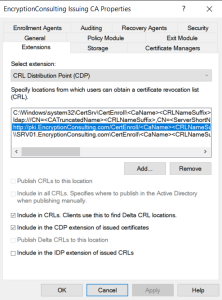
- Validate client compatibility before production rollout: confirm the clients and systems in your environment that consume your CRL correctly handle partitioned CRL structures rather than assuming universal compatibility.
- Monitor the new partition-specific events and publication status after enabling this in production, don’t assume partitioning succeeded just because the registry change applied without error.
- Roll out to production CAs on a defined schedule, not all at once, so any unexpected client compatibility issue surfaces on a limited population first.
Implementation Checklist 2: Enhanced Audit Logging
- Confirm your CA’s actual patch level and OS version: the richest audit event data is specific to Windows Server 2025; earlier supported versions receive partial improvements, so don’t assume feature parity across your CA fleet.
- Update your SIEM or log monitoring configuration to parse the new fields: audit events including certificate issuance now carry SAN values, template name, client OS, CSP, and authentication type, fields your existing detection rules likely aren’t built to use yet.
- Build or update detection rules around the new visibility: specifically, alerts for certificate requests with enrollee-supplied subject names, certificates issued from recently modified templates, and failed enrollment attempts from unexpected accounts are now meaningfully easier to build with the additional event fields.
- Forward CA event logs off the CA server itself: logs stored only locally are useless if the CA is compromised, this isn’t new guidance specific to 2025’s changes, but the richer event data makes centralized forwarding more valuable than before.
- Validate retention and correlation windows against your compliance requirements now that event volume and field richness have both increased, storage and query performance assumptions built around the old event format may need revisiting.
Implementation Checklist 3: PQC Groundwork and ML-DSA Enablement
This is the newest and narrowest-supported change on this list, and it’s worth treating as its own phased project rather than folding it into general CA maintenance.
- Confirm you’re actually eligible before planning anything further: ML-DSA issuance requires Windows Server 2025 specifically with the 2026-05B update (KB5087539) on the CA side. There is currently no indication this will be backported to Server 2019 or 2022 for the CA role itself.
- Confirm client readiness separately from server readiness: enrollment testing requires domain-joined clients on Windows 11, version 24H2 or 25H2, with the 2025-10 non-security update (KB5067036) or later installed. A ready CA with unready clients will produce confusing partial failures, not a clean rollout.
- Build a dedicated PQC certificate template rather than modifying an existing one: set the Cryptography tab’s Provider Category to Key Storage Provider (a CNG-based provider is required, legacy CSPs don’t support ML-DSA), select an ML-DSA parameter set (ML-DSA:44, 65, or 87 depending on your security requirements), and confirm the Minimum key size and Request hash fields populate automatically from that selection.
- Set the template’s Purpose to Signature, and understand why that’s a hard limit, not a configuration choice: ML-DSA supports signing operations only, not encryption or key exchange. Any use case depending on certificate-based encryption cannot be satisfied by an ML-DSA template regardless of configuration.
- Update your OCSP Response Signing template if you’re piloting ML-DSA for CA-adjacent infrastructure: the Online Responder role supports ML-DSA for response signing, but this needs its own template update separate from your end-entity certificate templates.
- Pilot narrowly before any broad rollout: code signing is a reasonable low-risk starting point given ML-DSA’s signature-only nature, don’t attempt to migrate TLS or authentication use cases to ML-DSA as a first step, since those depend on capabilities ML-DSA doesn’t provide alone.
- Treat this as groundwork for a longer PQC transition, not a completed migration: shipping ML-DSA support is a meaningful milestone, but it addresses signing use cases specifically. Your broader post-quantum migration planning, including key establishment algorithms like ML-KEM for TLS and VPN scenarios, is a separate, larger effort this update doesn’t resolve on its own.
Implementation Checklist 4: Certificate Extension Limit and Template Changes
- Identify which templates actually need the expanded extension size: most existing templates don’t require more than the original 4KB limit, this change matters specifically for templates carrying complex custom extensions, advanced identity attributes, or PQC-related metadata.
- Apply the registry change deliberately, not by default across every CA: add
0x1000to theDBFlagsregistry key value on CAs that specifically need the expanded limit, and restart Certificate Services for the change to take effect.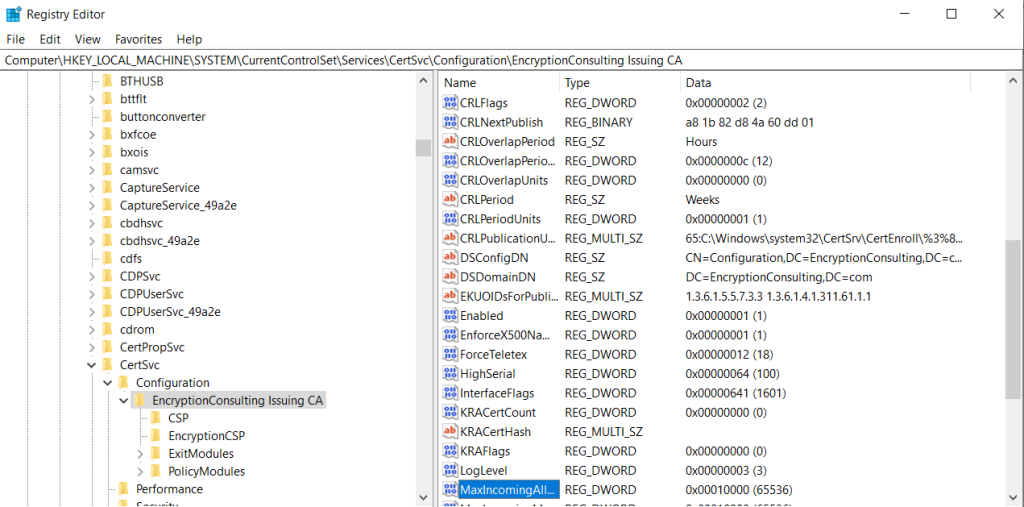
- Verify the change actually applied: check the
MaxLengthproperty ofExtensionRawValueafter restart to confirm the expanded limit is in effect rather than assuming the registry change alone guarantees it. - Document your before-and-after baseline, since this change affects CA behavior at a fairly fundamental level and you want a clear record of which CAs have it enabled if you need to troubleshoot extension-related issuance problems later.
Implementation Checklist 5: NTLM Relay Hardening
- Audit current NTLM usage in your enrollment and authentication paths before enabling stricter defaults: identify any enrollment agents, legacy clients, or integrations that still depend on NTLM rather than assuming your environment is already Kerberos-only.
- Enable Extended Protection for Authentication (EPA) in a controlled rollout: this is part of the broader hardening against relay attacks like PetitPotam, and default configurations under the 2025 updates now mitigate these paths more aggressively than before.
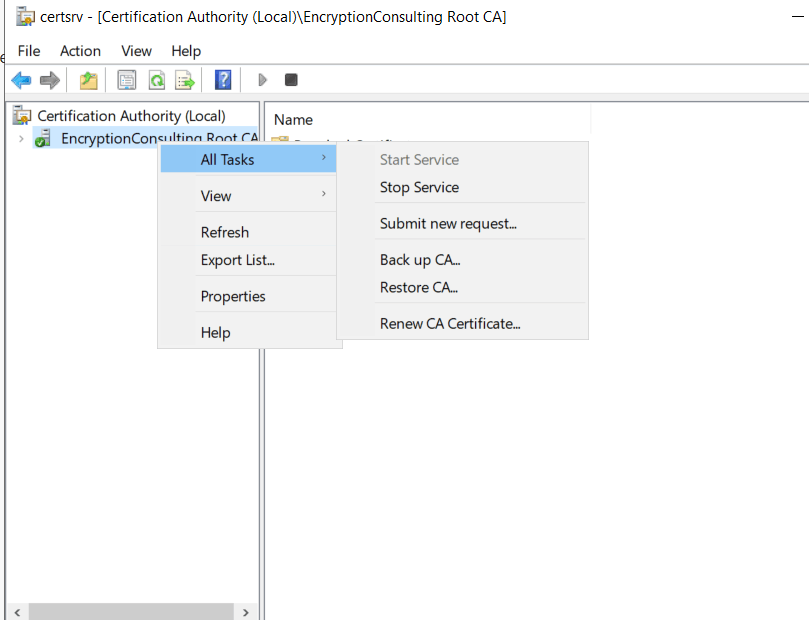
- Test enrollment specifically after enabling stricter secure channel protections, since settings like
FullSecureChannelProtectioncan affect legitimate enrollment flows that weren’t fully Kerberos-compliant, catching this in testing is considerably better than catching it as a production enrollment outage. - Monitor authentication failure patterns closely for the first several weeks after rollout, a spike in failures immediately after enabling hardening is a strong signal you missed a dependency during the audit step.
Sequencing: What to Implement First
Given the different maturity and support scope of each change, a reasonable implementation order looks like this:
- Audit logging first: it’s lower-risk, broadly supported, and gives you better visibility into everything else you implement afterward.
- CRL partitioning second: broadly supported across Server 2019 through 2025, and addresses a real operational pain point independent of any other change on this list.
- NTLM relay hardening third: genuinely important from a security standpoint, but requires enough auditing beforehand that it shouldn’t be your first move.
- Extension limit expansion fourth: apply this specifically when you have a concrete template that needs it, rather than as a blanket change across every CA.
- PQC/ML-DSA pilot last: narrowest support scope, newest shipped feature, and the one most likely to need iteration before you’re ready to expand beyond a pilot template or two.
How Encryption Consulting Can Help
Turning Microsoft’s AD CS product roadmap into a correctly sequenced, tested implementation plan across a real production CA hierarchy is exactly the kind of ongoing operational work that’s easy to under-resource internally, especially when new capabilities like PQC support ship on their own separate timeline from the rest of the roadmap.
Encryption Consulting’s PKI Services team supports this directly:
- Environment readiness assessment: confirming your actual CA and client patch levels against each of these features individually, so you know exactly what’s available to you today rather than working from the general announcement.
- CRL partitioning and audit logging rollout: planning and executing these lower-risk changes with proper lab validation before production deployment.
- PQC and ML-DSA pilot design: building a scoped, low-risk pilot for signature use cases like code signing, with a clear plan for how it fits into your broader post-quantum migration timeline rather than treating it as an isolated feature.
- NTLM hardening audit and rollout: identifying dependencies before you enable stricter defaults, so hardening doesn’t become an unplanned enrollment outage.
- Ongoing monitoring and sequencing guidance, as Microsoft continues shipping AD CS updates on an active roadmap, keeping your implementation plan current rather than working from a point-in-time snapshot.
If you’re trying to turn Microsoft’s AD CS roadmap into an actual rollout plan for your environment, our PKI Services team can assess what’s genuinely available to you and sequence the implementation correctly.
Conclusion
Microsoft’s re-investment in AD CS since 2025 is real, but “the feature was announced” and “the feature is shipped and applicable to your environment” are two different milestones, and the gap between them matters operationally. CRL partitioning and audit logging are broadly available now and worth prioritizing first. PQC support through ML-DSA is genuinely new as of May 2026, genuinely useful for signature use cases, and genuinely limited to Windows Server 2025 with no confirmed backport path. Treat each of these as its own implementation project with its own testing requirements, sequence them deliberately, and revisit this list periodically, since Microsoft’s AD CS roadmap is actively shipping, not a one-time 2025 event.
Related reading: Powerful Enhancements to Active Directory Certificate Services (ADCS) · Complete Guide to Strong Certificate Mapping Enforcement in ADCS · The Ultimate Windows ADCS Migration and Modernization Guide · AD CS Template Hardening: ESC1-ESC16 Defense Playbook · Side-by-Side vs In-Place ADCS Upgrade: Which Approach Should You Choose? · Education Center: Microsoft AD CS
Not sure which of these AD CS changes are actually ready for your environment, or how to sequence them safely? Talk to our PKI Services team about building an implementation roadmap. Encryption Consulting is ISO/IEC 27001:2022 and SOC 2 certified.
FAQ
Does PQC support in AD CS work on Windows Server 2019 or 2022?
No. ML-DSA certificate issuance requires Windows Server 2025 with the 2026-05B update (KB5087539) on the CA role. Microsoft has not indicated plans to backport this capability to earlier supported versions.
Is CRL partitioning limited to Windows Server 2025?
No. CRL partitioning is available on Windows Server 2019, 2022, and 2025 with the 2025-10B update or later installed, making it considerably more broadly deployable than PQC support.
Can ML-DSA certificates be used for TLS encryption?
No. ML-DSA supports signing operations only, not encryption or key exchange. Templates must have their Purpose set to Signature, and use cases requiring encryption need a different algorithm approach as part of your broader post-quantum migration planning.
Does the extended certificate extension limit automatically enable PQC support?
No. The 4KB-to-16KB+ extension limit expansion is groundwork that makes larger, PQC-related certificate data possible, but it’s a separate change from ML-DSA issuance itself, which required its own dedicated update to enable.
What should PKI teams implement first from this list?
Audit logging and CRL partitioning are the lowest-risk, most broadly supported starting points. NTLM relay hardening should follow after a proper usage audit. Extension limit changes should be applied only where a specific template needs them. PQC and ML-DSA should be treated as a scoped pilot given its narrower current support and newer shipping status.
- TL;DR: Key Takeaways
- What's Actually Shipped as of August 2026
- Implementation Checklist 1: CRL Partitioning
- Implementation Checklist 2: Enhanced Audit Logging
- Implementation Checklist 3: PQC Groundwork and ML-DSA Enablement
- Implementation Checklist 4: Certificate Extension Limit and Template Changes
- Implementation Checklist 5: NTLM Relay Hardening
- Sequencing: What to Implement First
- How Encryption Consulting Can Help
- Conclusion
- FAQ